
Graduation Photo Guest Book and Printable Advice Cards
Pair one photo of each willing guest with one specific wish or piece of advice. Give people an easy way to contribute without being photographed, and let the graduate decide what goes into a shared album after the party.
Browse all event guides and printables
Graduation photo guest book printable
Write one note for the graduate. A photo is optional.
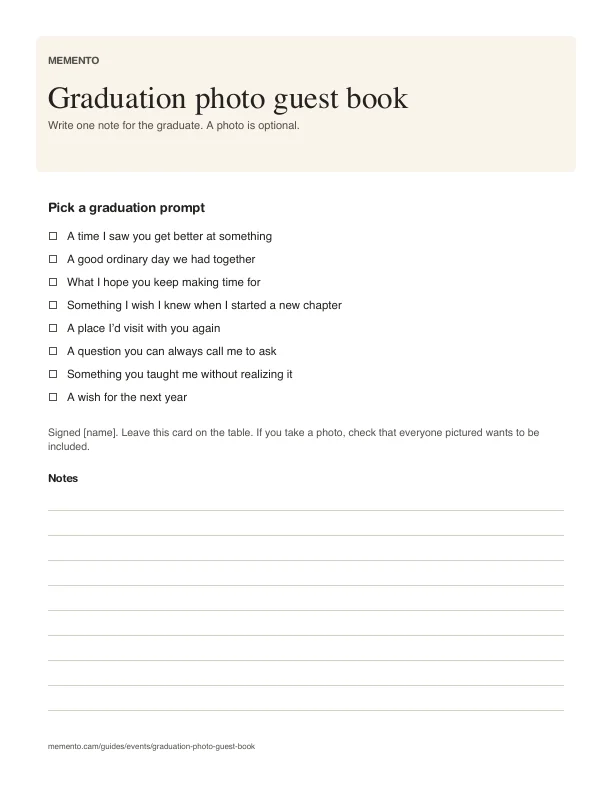
Pick a graduation prompt
- A time I saw you get better at something
- A good ordinary day we had together
- What I hope you keep making time for
- Something I wish I knew when I started a new chapter
- A place I’d visit with you again
- A question you can always call me to ask
- Something you taught me without realizing it
- A wish for the next year
Signed [name]. Leave this card on the table. If you take a photo, check that everyone pictured wants to be included.
Set up a two-minute guest book table
Put the advice cards near the yearbook, tassel or one program the graduate wants to display. Beside it, choose a spot where people can face the natural light. Put the optional guest photo QR there. Ask a friend to take one photo with the graduate before dinner, when uniforms or gowns haven’t been packed away.
If guests bring older photos, create a box marked “copies only” with envelopes for a name and decade. Ask before digitizing somebody else’s photo. Test whether your planned digital route accepts the images you expect before you promise an upload option. Use a separately agreed collection for scans if your party camera only serves new shots.
Ask for a usable next-step wish
Let relatives, classmates, mentors and neighbors answer different questions. For example, a coach could answer “What did you notice me getting better at?” while a classmate could write “What is one memory we should be able to retell ten years from now?” This avoids assuming the graduate is heading to university or taking a single career route.
If a small speaker gets overwhelmed, offer to have them write privately. Keep invitations and sharing text clear about who can see the pictures, especially at a school-run event or a gathering with minors. Ask the organizer and the graduate whether there are participants or name details that should stay off the shared copy.
Save a complete copy before a selective one
Collect the cards and any photos into the graduate’s copy. Review a separate gallery before sending it to guests. If you use Memento Film, rehearse your reveal and guest download settings in a guest browser first. Don’t post the invitation or an export on a school or group account without agreeing on the audience.
More planning resources
- Set up wedding photo sharing
- Make a milestone birthday keepsake
- Retirement Guest Book Ideas and Printable Farewell Prompts